
Today I bring you a tutorial I made explaining how to do undervolting and overclocking on your GPU. The results are surprising, and honestly I don’t know why they don’t come like this from the factory.
What is undervolting?
Undervolting is a technique that consists of reducing the voltage at which your GPU operates. By applying pure undervolt, you can reduce the temperature at which your GPU runs, as well as its power consumption.
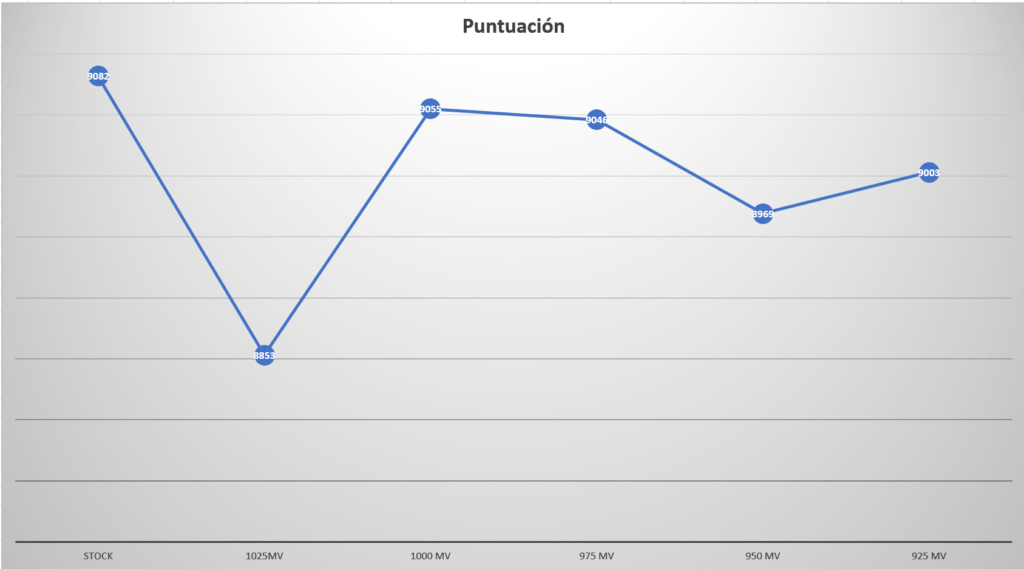
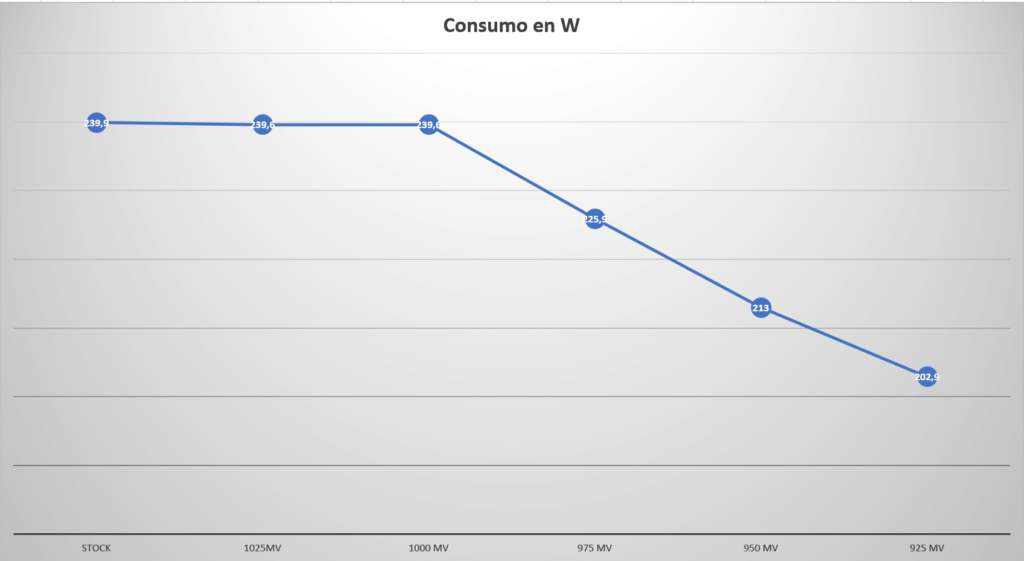
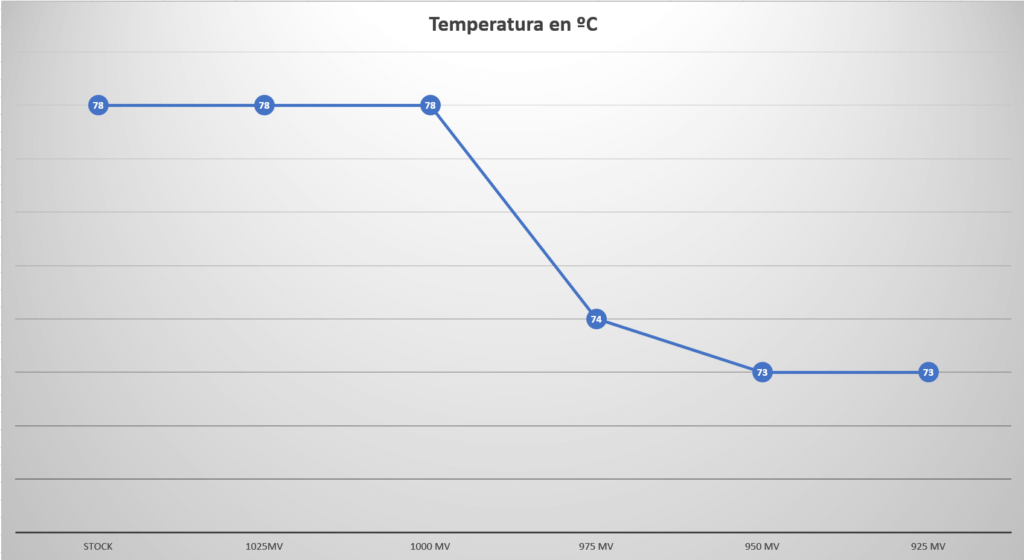
By applying only undervolt to my GPU (Gigabyte Vision RTX 3060 Ti OC), I managed to reduce GPU power consumption by 15.5% and only lost 1.26% of performance, as you can see in these graphs.
What is overclocking?
Overclocking consists of increasing the frequency at which a processor operates so that it delivers better performance. Normally, this implies higher temperatures and greater power consumption, which in the long term can reduce the processor’s lifespan due to increased stress.
What happens if you apply undervolt and overclocking to your GPU?
You get the best of both methods.
With undervolt, the processor doesn’t heat up as much and consumes less power. If you also apply overclocking, you increase performance, so in the end you achieve better performance with lower consumption.
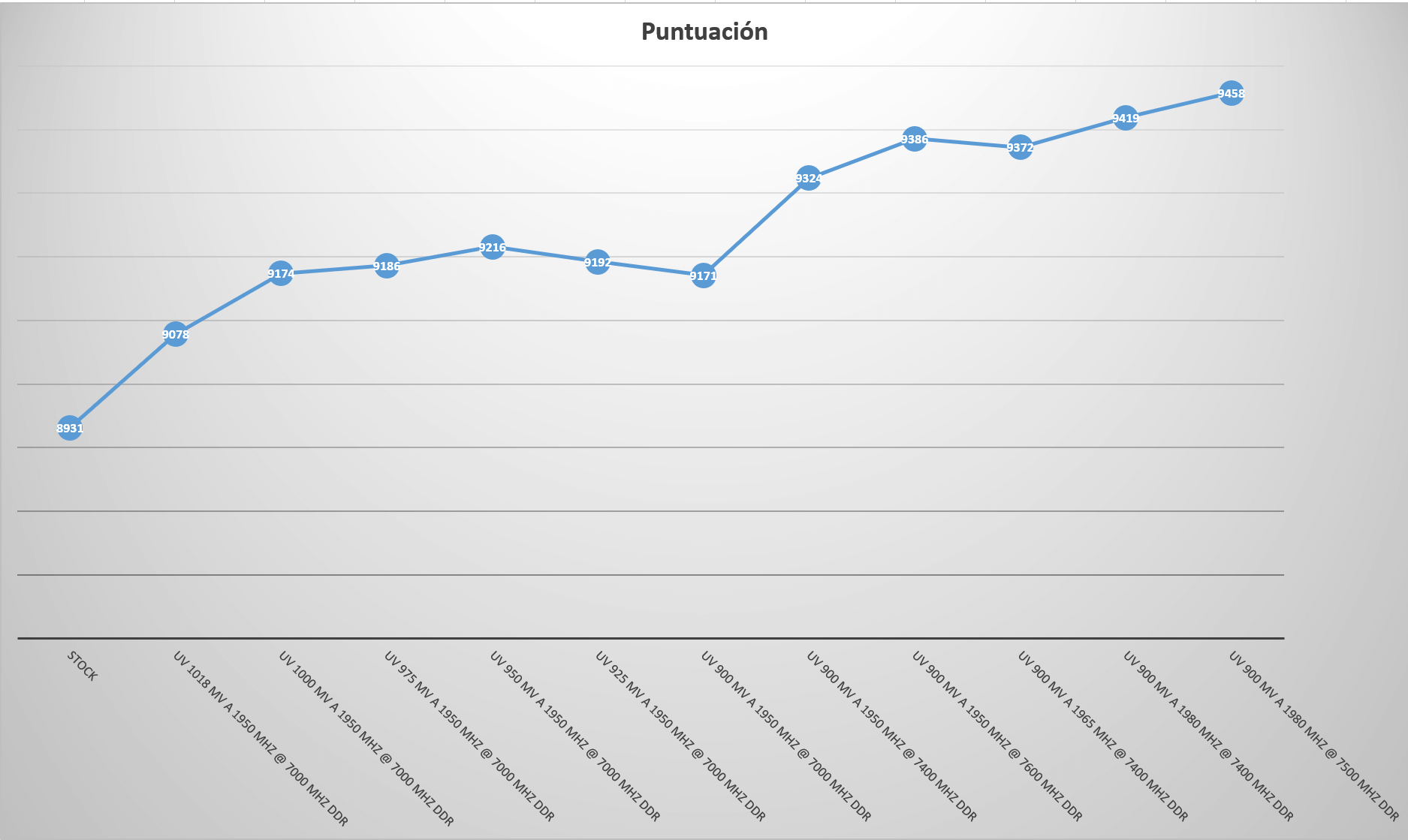
Below you can see a couple of graphs after applying undervolt and overclocking to my GPU.
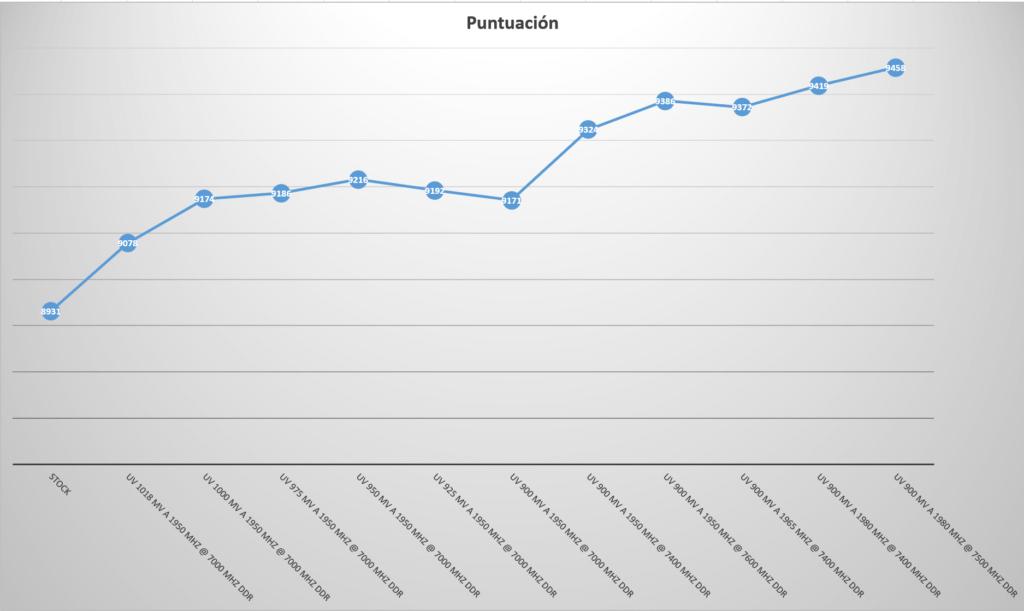
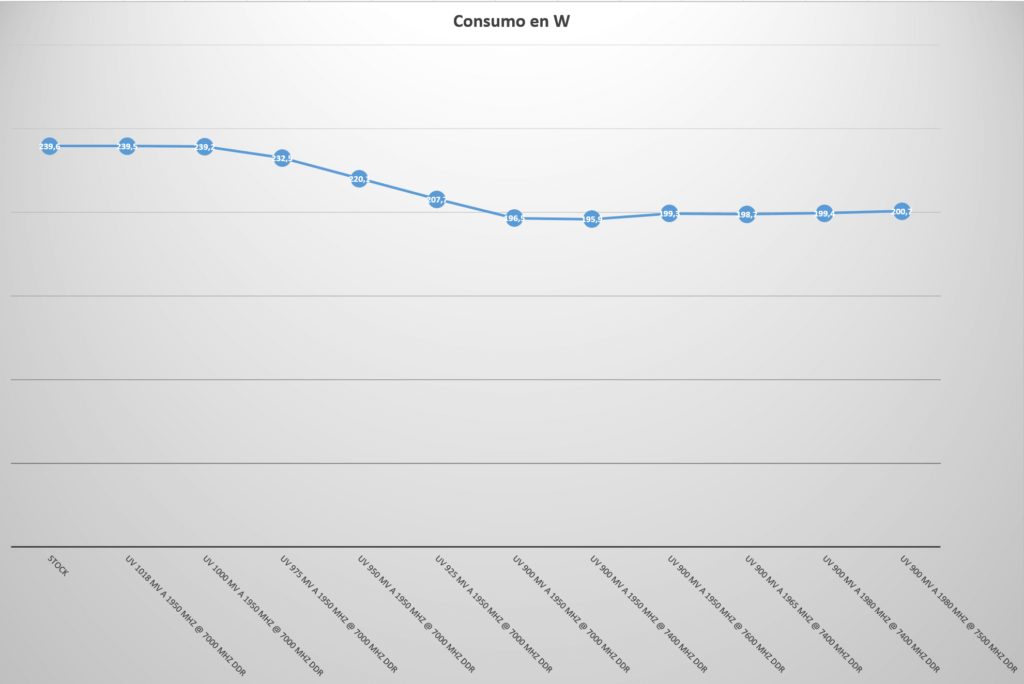
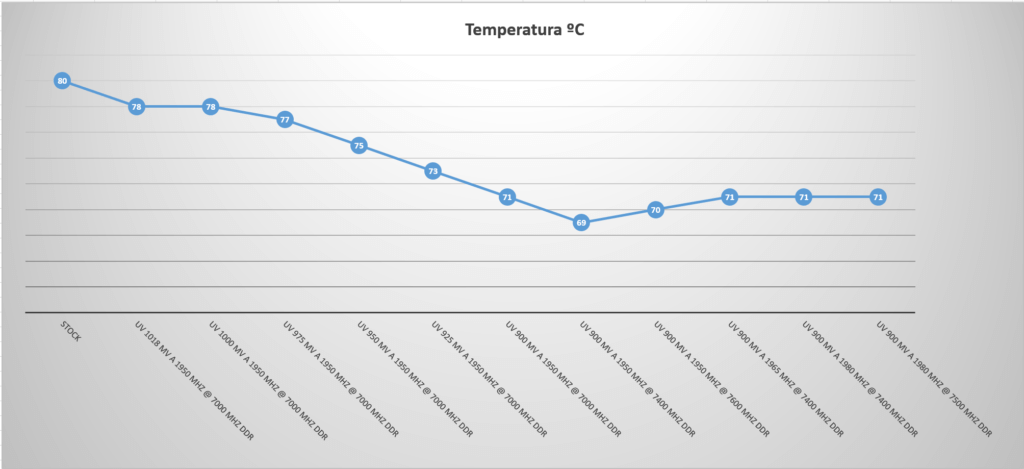
As you can see, I gained 6% performance and reduced consumption by 16%, so it’s absolutely worth it.
What do you need to undervolt and overclock your GPU?
It’s very simple—you need three programs to do this properly:
A benchmark tool to test configurations and check stability. I used Superposition Benchmark, which you can find here.
A hardware monitoring tool to track power consumption and component temperatures. In my case, I used Open Hardware Monitor, available here.
MSI Afterburner. With this program you can adjust your graphics card parameters. The good thing is that it works with all GPUs, not just MSI ones. You can download it here.
Where can I find the tutorial?
You can find the YouTube tutorial here (only in Spanish). If you like it, please give it a Like and subscribe to the channel.