

Having a GPU with 8 GB of VRAM in 2026 doesn’t make you a second-class citizen of local AI. Quite the opposite: LLM models 8GB VRAM have improved so much that you can now run models rivaling paid APIs from the comfort of your own room. The trick? Choosing what to install wisely and configuring context length with care. Let’s break it down.
The RTX 3060 Ti, RTX 4060, RTX 3070, RX 7600… they all share the same ceiling: 8 GB of VRAM. But they also share something many overlook when comparing cards: memory bandwidth is what determines inference speed, not CUDA cores. The RTX 3070, with 448 GB/s, still outpaces the RTX 4060 Ti (288 GB/s) on token generation despite being an older generation. If you’ve been around since you changed your graphics card, now it’s time to put it to work for AI.
The Best LLM Models 8GB VRAM in 2026
According to official model benchmarks from Hugging Face and quantized.fyi testing, there are five models worth your attention if you have 8 GB of VRAM. All were evaluated at Q4 quantization or below, the sweet spot between quality and memory consumption. If you missed our guide on whether an LLM fits in your GPU, this post is the natural follow-up: there we covered the VRAM theory; here we go with the concrete 2026 models.
1. Qwen3.5-9B — The New All-Rounder King
Released by Alibaba in February 2026, Qwen3.5-9B is what Qwen3 8B wanted to be when it grew up. It’s natively multimodal —accepting text, images, and video—, uses a hybrid architecture of Gated Delta Networks with sparse MoE that delivers efficient inference, and supports 201 languages. At Q4_K_M it occupies between 5.68 and 6.17 GB depending on the quantizer (we recommend unsloth’s for its Dynamic 2.0 optimization). With 8K context, total VRAM consumption is around 6.8-7.2 GB: right at the 8 GB limit, but it fits.
The benchmarks are conclusive: 82.5 on MMLU-Pro, 81.7 on GPQA Diamond, 91.5 on IFEval, 65.6 on LiveCodeBench v6, and 83.2 on HMMT Feb 25. On vision: 78.4 on MMMU and 78.9 on MathVision. On agents: 66.1 on BFCL-V4 and 79.1 on TAU2-Bench. It outperforms its predecessor Qwen3 8B on virtually every published metric.
One important difference from Qwen3: thinking mode is on by default and there is no /no-think soft switch. To disable it, you must set enable_thinking: False in the API parameters. The model thinks before responding, which improves quality but consumes more tokens.
2. Gemma 4 12B Unified — The Versatile One with Native Audio
Google released Gemma 4 12B Unified in 2026 under Apache 2.0, and it’s a peculiar model: unlike the rest of the Gemma 4 family, the 12B variant is encoder-free. This means it doesn’t use dedicated encoders for image or audio — it projects raw data directly into the model’s embedding space. The advantage? Minimal multimodal latency and a deployment size perfect for consumer hardware.
It accepts text, image, audio, and video natively. Supports 140+ languages and a 256K token context window. On benchmarks: 77.2 on MMLU-Pro, 78.8 on GPQA Diamond, 72.0 on LiveCodeBench v6 (where it beats Qwen3.5-9B), 79.7 on MathVision, and 38.5 on CoVoST (speech translation). It’s the only model on this list with native audio understanding.
The 8GB challenge: at Q4_K_M it takes 7.66 GB of weights alone, which with KV cache and overhead exceeds 8 GB. To make it fit you have two options: use IQ4_XS (6.78 GB, leaving room for 8K context) or Google’s official QAT version (gemma-4-12B-it-qat-q4_0-gguf), optimized specifically for 4-bit. Both involve slightly more quality loss than a standard Q4_K_M, but the model remains very capable.
If 12B feels too tight, Gemma 4 also comes in a 4B variant (multimodal, 128K context, just 4.0 GB VRAM at Q4) as a lightweight alternative that leaves room for simultaneous embedding models.
3. Phi-4-mini (3.8B) — The Speedster
Microsoft’s small model consumes only 3.5 GB of VRAM at Q4_K_M and generates over 60 tokens per second on virtually any modern 8GB GPU. Its MMLU score hovers around 68.5, within 4-5 points of 7-8B competitors at roughly half the parameter count. Where it struggles: complex multi-step reasoning. Where it shines: throughput, consistency, and battery life on laptops. If you want responses that feel instant, this is your model.
4. DeepSeek-R1-Distill-Qwen3-7B — The Thinker
Distilled from DeepSeek-R1 onto a Qwen3 7B base, this model occupies the same 5.0 GB at Q4_K_M but behaves very differently: it generates far more tokens per response because it reasons out loud before answering. On math problems or code debugging, it often beats much larger models. On “what’s the capital of France,” it’ll spend 800 tokens wondering if it’s a trick question. Reserve it for sessions where reasoning quality matters more than turnaround time.
5. Granite 4.1 (8B) — The Operator
IBM’s dark horse, released in 2026 under Apache 2.0. It’s not the smartest or the most creative, but it’s stable. In a 200-call agentic test with structured JSON output, it was one of two 8B-class models that didn’t break formatting under load — the other being Qwen3 8B — while Llama 3.1 8B failed 8% of calls. If you’re building a system where the model is one component and needs to behave reliably, Granite 4.1 is the boring, dependable choice.
Comparing LLM Models 8GB VRAM Side by Side
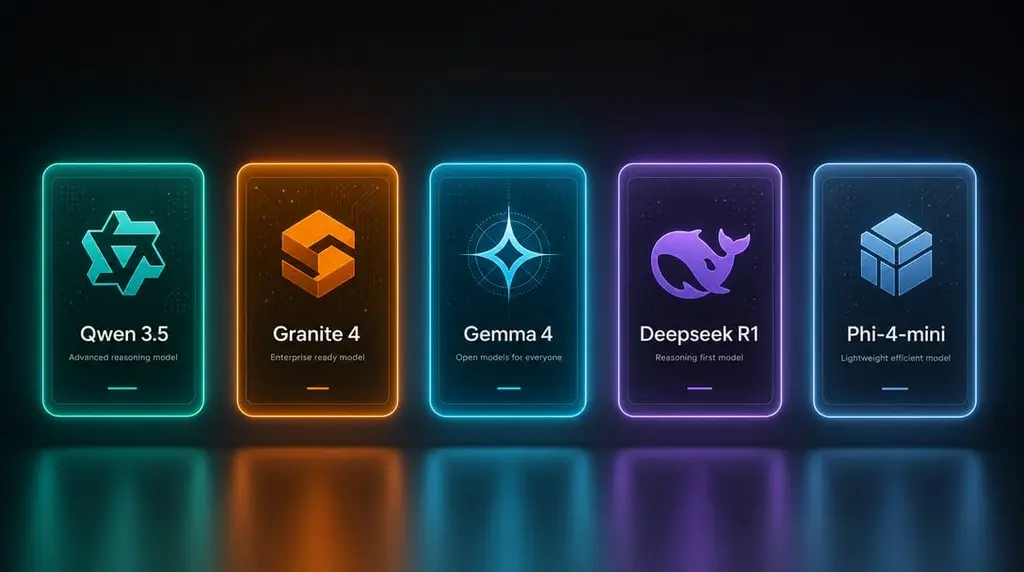
Here’s the practical summary. Qwen3.5-9B and Gemma 4 12B are the most powerful models on the list, but with different strategies: Qwen3.5-9B fits at standard Q4_K_M (6.8-7.2 GB), while Gemma 4 12B requires more aggressive quantization (IQ4_XS, ~7.4 GB) to fit in 8GB. Gemma 4 12B’s reward is native audio and better LiveCodeBench; Qwen3.5-9B’s is better MMLU-Pro, GPQA, and more languages.
- Qwen3.5-9B: 5.68-6.17 GB on disk (Q4_K_M), ~6.8-7.2 GB VRAM. Multimodal (text+image+video), MoE, 201 languages, thinking mode. Apache 2.0.
- Gemma 4 12B: 6.78 GB (IQ4_XS), ~7.4 GB VRAM. Encoder-free multimodal (text+image+audio+video), 140+ languages, 256K context. Apache 2.0.
- Phi-4-mini: 2.5 GB on disk, 3.6 GB VRAM. Pure speed, 60+ t/s. MIT.
- DeepSeek-R1-Distill: 5.0 GB, 6.6 GB VRAM. Deep reasoning. MIT.
- Granite 4.1 8B: 5.1 GB, 6.7 GB VRAM. Agentic, JSON, tool use. Apache 2.0.
What Does NOT Fit in 8 GB (and Isn’t Worth Forcing)
According to 9bench’s 2026 testing with 8 GB cards, there’s a “works, sort of” zone and a “don’t even try” zone. Models at 13B in Q4 need 7.4 GB of weights alone, and with KV cache you peak at 10 GB. You can use --lowvram in llama.cpp to offload layers to CPU, but you’ll lose 50% speed. The 22B-30B models generate at 1-3 tokens per second — slower than human reading speed. And Llama 70B, at 40 GB of weights, is outright impossible.
Note: Gemma 4 12B at Q4_K_M (7.66 GB) would fall into this “works, sort of” category — it requires offload. That’s why we recommend IQ4_XS or Google’s official QAT version, which do fit. Practical advice: stay in the 7B-12B class with aggressive quantization if needed, and if you ever need 13B comfortable at standard Q4_K_M, the best value upgrade is a used RTX 3060 12 GB for around $200.
Recommended Setup for Your 8GB GPU
Three settings that make the difference between a smooth experience and a frustrating one with LLM models 8GB VRAM:
1. Drop context to 8K. Ollama defaults to 32K. On 8 GB that’s a problem. Set OLLAMA_CONTEXT_LENGTH=8192 in your environment and you’ll often double your effective speed. The capability loss is smaller than you’d expect for most tasks.
2. Disconnect your monitor from the GPU. If your CPU has integrated graphics, plug your displays into that. A 4K display eats 500-700 MB of VRAM just for the framebuffer. On an 8 GB card, that’s the difference between fully loading the model on GPU or silently falling back to CPU.
3. Enable Flash Attention and quantized KV cache. On Ollama 0.5+ it should be on by default, but verify with OLLAMA_FLASH_ATTENTION=1. The q8_0 KV cache halves cache memory consumption with minimal quality loss.
If you haven’t set up Ollama yet or you’re torn between interfaces, check out our comparison Onyx vs Open WebUI: your first local LLM without drama, where we explain which one suits your level. And if you want to squeeze every watt out of your GPU while running inference, our undervolt and overclocking tutorial for your GPU is still just as relevant: reducing power consumption while maintaining performance is exactly what you need when VRAM is at the limit.
The Verdict: 8GB VRAM Is Still a Serious Tool
In 2026, 8 GB of VRAM is no longer “good enough for a tech demo.” With Qwen3.5-9B or Gemma 4 12B as your daily driver, you have a tool that handles real work — code generation, document analysis, multilingual translation, RAG pipelines, image interpretation, and even audio transcription and translation if you choose Gemma. The hardware constraint has pushed researchers toward efficiency, and 8 GB users are the beneficiaries.
The best single piece of advice we can give: pay more attention to memory bandwidth than CUDA core count. The RTX 3070 is still competitive in 2026 — a six-year-old card — because bandwidth is what matters for inference. Any 8GB GPU with good bandwidth is in the same club. Pick a model that fits cleanly under 7.5 GB, set your context to 8K, and you’ll have a setup that punches well above its weight.
Part of the content was created by AI, and reviewed by me.